Last reviewed: September 2026
| Disclosure: Parents are OK publishes this guide and is one of the apps evaluated. We apply the same inclusion and evaluation criteria to our app as to the other products listed. |
The best senior safety app depends on the problem you need to solve
The best senior safety apps for older adults living alone solve very different problems. Some families want a quiet sign that normal daily activity has stopped. Others need a daily check-in, an SOS button, automatic fall detection, or support when wandering is a real concern.
That is why this guide does not rank fifteen very different products from number one to number fifteen. A passive inactivity app and a fall-detection app are not competing to do the same job. Instead, we group the options by the main safety need they serve and explain what makes each one useful, where the evidence is strongest, and what limitation a family should understand before relying on it.
The goal is practical: help you find a safety tool that fits the older adult’s routine, comfort with technology, privacy preferences, and the people who will actually respond when an alert arrives.
How we chose these senior safety apps
We began with roughly 60 current apps connected to senior safety, independent living, emergency response, family monitoring, medication, location, and caregiving. We first removed products that were too far from standalone personal safety for the purpose of this article.
To remain in the research pool, an app needed evidence of current activity: a 2025 or 2026 update, an actively operating service, or clear current developer support. We then compared safety usefulness, ease and accessibility, privacy, reliability and maintenance, recent user feedback, caregiver usefulness, value, and whether the app added a genuinely useful function.
We used internal scores to compare products consistently, but the scores are not published here. ‘Best’ in this guide means best for a particular safety job, not a generic winner.
| Important: No app can guarantee that an emergency will be detected. These tools do not replace emergency services, medical care, caregivers, fall-prevention measures, or a local response plan. |
Quick comparison: which type of senior safety app fits your need?
| App | Best for | Safety model | Platform |
| Parents are OK | Passive reassurance without continuous location | Phone inactivity | iOS + Android |
| CareTrigger | Adaptive inactivity monitoring | Learned phone-use patterns | iOS + Android |
| Still Blinking? | Low-effort privacy-first reassurance | Digital activity signal | iOS + Android |
| Snug Safety | Established daily check-ins | Daily tap + escalation | iOS + Android |
| Allwell Check | Older adults who prefer phone calls | App or telephone check-in | Android verified |
| TapOkie | SMS alerts without another app | Daily tap + SMS | iOS + Android |
| Guardian | Family care network + check-in | Daily tap + SOS | Android verified |
| Beacon Safe | Missed check-ins with multichannel escalation | Scheduled check-in + escalation | iOS + Android |
| My SOS Family | Multichannel trusted-circle alerts | SOS / timers / check-ins | iOS + Android |
| Noonlight | Professional emergency response | Monitored SOS | iOS + Android |
| Google Personal Safety | Built-in Pixel safety tools | Safety Check + SOS | Pixel / Android |
| FallCall Detect | Apple Watch fall detection | Automatic fall detection | iPhone + Apple Watch |
| LifeGuardian | Phone-only fall + inactivity + SOS | Sensors + SMS | Android |
| SOS Elderly | Free all-in-one safety toolkit | SOS + timer + fall | Android |
| Rientro | Dementia wandering risk | Location + movement patterns | iOS / Android + watch |
1. Passive reassurance and inactivity detection
These apps are designed for families who want a sign that everyday phone activity has stopped without requiring a daily task from the older adult.
Parents are OK
Best for: Passive reassurance without continuous location tracking
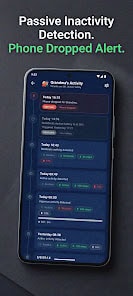
Why it stands out: Parents are OK treats recent phone use as a proxy for whether normal daily activity is continuing. If the senior’s device shows no qualifying use for a full day, guardians are notified; the service does this without continuously recording location or accessing audio or video.
Good to know: It is a reassurance layer, not an emergency detector. The 24-hour window can be adjusted for families whose main concern is an acute fall or medical emergency.
Evidence: The Google Play listing showed 1K+ downloads and an update on September 10, 2026, including reliability and notification improvements.
Platforms / pricing model: iPhone + Android · No extra hardware · Paid subscription / trial
CareTrigger
Best for: Adaptive inactivity monitoring
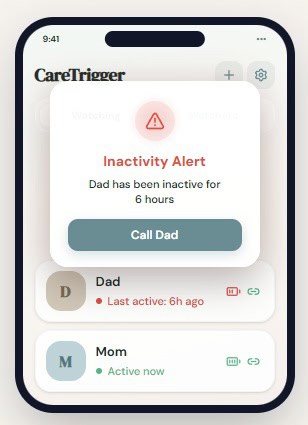
Why it stands out: CareTrigger builds a baseline from the person’s usual handset activity and looks for a quiet period that departs from that baseline. Because the monitoring happens in the background, the senior does not have to remember a scheduled confirmation.
Good to know: Its own documentation says alerts are not immediate and may take hours; false positives and false negatives are possible.
Evidence: The service is actively operating in 2026, supports iPhone and Android, and is currently free for personal use.
Platforms / pricing model: iPhone + Android · No extra hardware · Free for personal use
Still Blinking?
Best for: A low-effort privacy-first activity signal
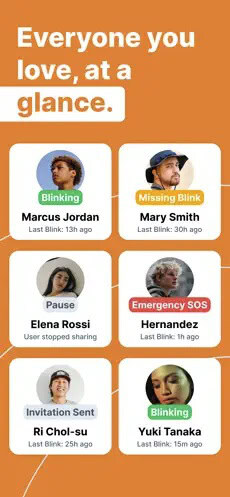
Why it stands out: Rather than following someone’s whereabouts, Still Blinking? focuses on whether ordinary phone use continues. When that signal goes quiet beyond the expected period, people in the Care Circle can be prompted to check in.
Good to know: It is still a new product, so its feature design is easier to judge than its long-term reliability.
Evidence: The current App Store listing shows only one public rating and presents the product as a non-location-based family safety tool, so its real-world track record is still limited.
Platforms / pricing model: iPhone + Android · No extra hardware · Free + in-app purchases
2. Daily check-ins and routine confirmation
These work best when the older adult is willing and able to complete one simple check-in on a regular schedule.
Snug Safety
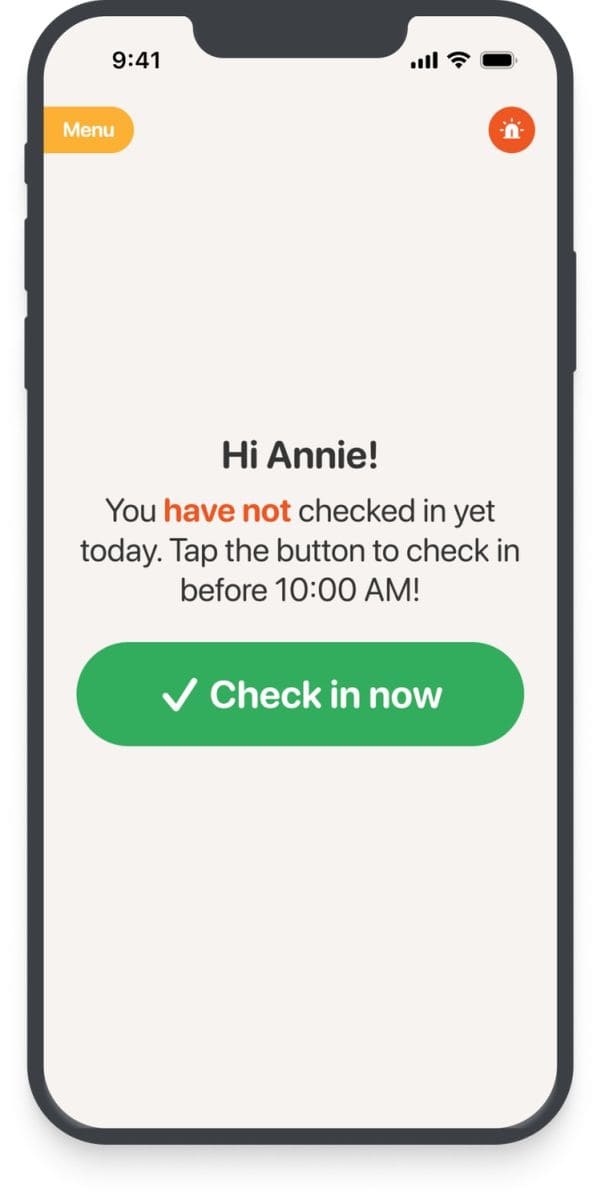
Best for: An established daily check-in routine
Why it stands out: Snug uses a scheduled daily confirmation as the safety signal. If the person misses it, contacts can be notified; the paid Dispatch tier adds a human escalation step that can ultimately lead to a wellness check.
Good to know: The model depends on the person remembering the routine. Location and personal data use are broader than in the most privacy-minimal inactivity apps.
Evidence : Snug reports more than 20 million completed check-ins, and its Google Play listing was updated in August 2026.
Platforms / pricing model: iPhone + Android · No extra hardware · Free core plan + optional paid dispatch
Allwell Check
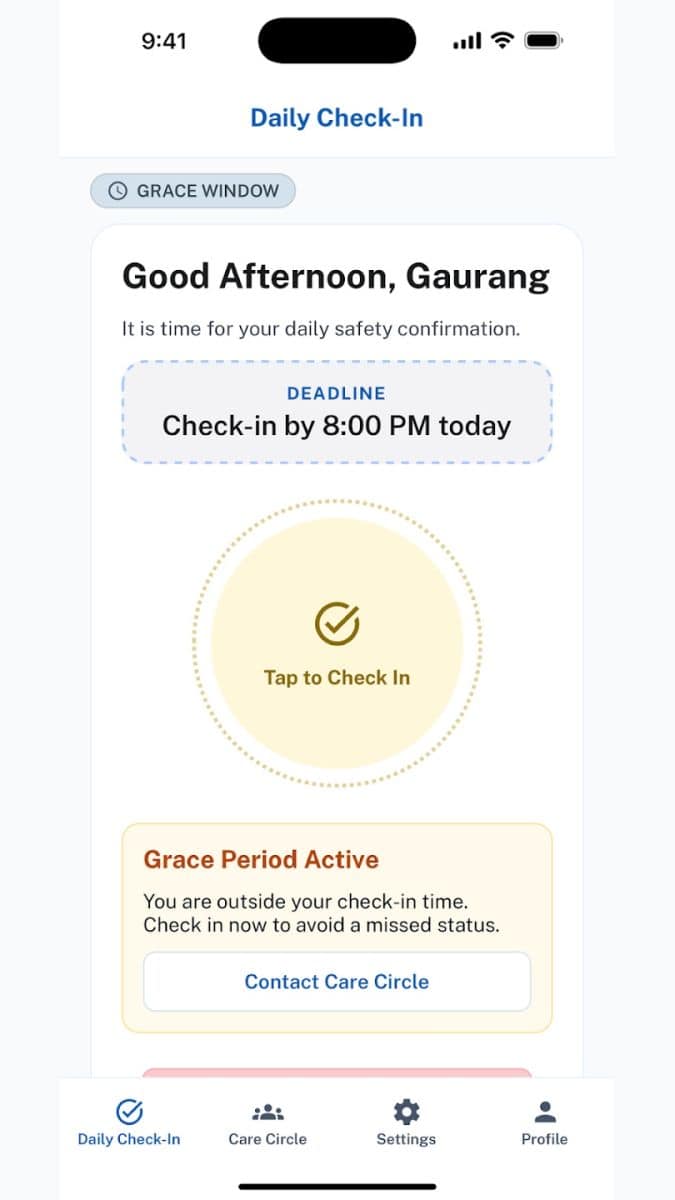
Best for: Older adults who may prefer a phone call to an app
Why it stands out: Allwell Check offers two ways to complete the same safety routine: a tap in the app or answering an automated phone call. If no confirmation arrives after the chosen deadline and grace period, family contacts can be notified through several channels; an SOS option is also available.
Good to know: The service is still new, so there is not yet a substantial public history showing how it performs over years of use.
Evidence: Its current Android listing includes both app-based confirmation and a call-answering option, an unusual combination among daily check-in products.
Platforms / pricing model: Android verified · No extra hardware · Paid service / current plan varies
TapOkie
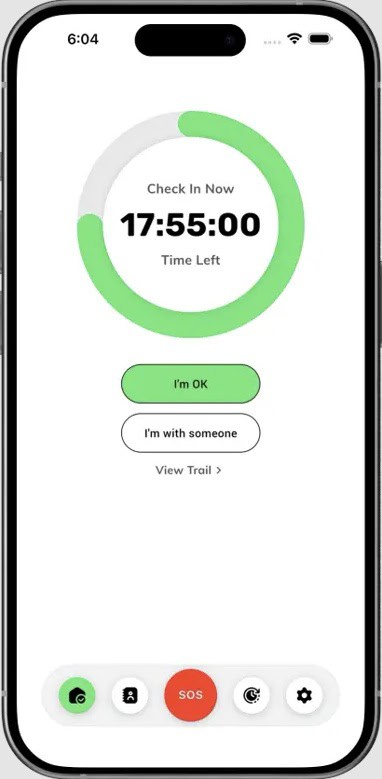
Best for: Families whose trusted contacts should not need another app
Why it stands out: TapOkie keeps the senior-side action to a simple daily confirmation while allowing family alerts to arrive as ordinary text messages. That is useful when relatives use different devices or do not want to maintain another app.
Good to know: Some useful scheduling and contact features are premium, and optional location sharing should be considered separately from the core check-in.
Evidence: TapOkie currently lists availability in 20 countries and 10 languages, with SMS alerts included in the free plan for one trusted contact.
Platforms / pricing model: iPhone + Android · No extra hardware · Free + paid plan
Guardian: Safety Check
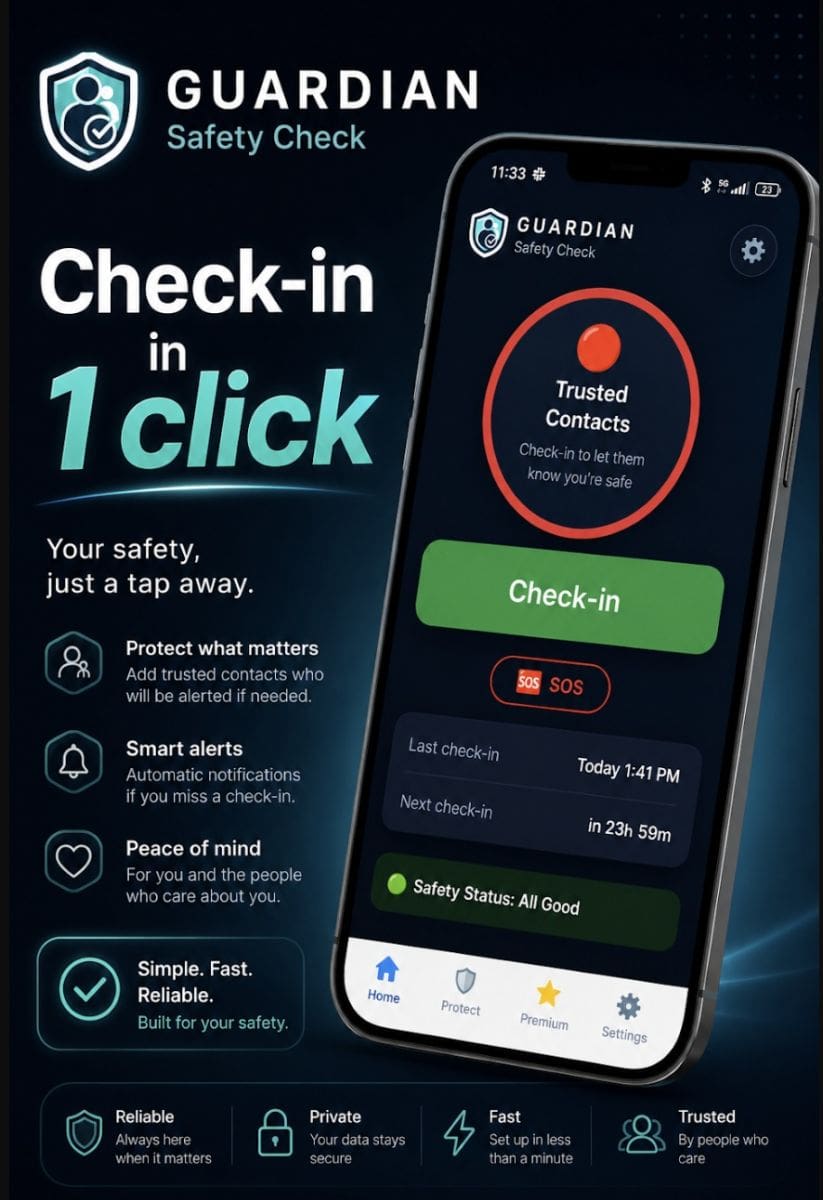
Best for: Combining a daily check-in with a family care network
Why it stands out: Guardian combines scheduled confirmations with a trusted-person network and emergency SOS. A notable design choice is that escalation logic runs on the service side, so a missed check-in can still trigger notifications even when the protected handset is unavailable.
Good to know: It is extremely new and has almost no meaningful review history yet, so reliability still needs time to prove itself.
Evidence: The Google Play listing was updated on September 6, 2026, and explicitly states that core safety remains free.
Platforms / pricing model: Android verified · No extra hardware · Free core + optional premium
Beacon Safe
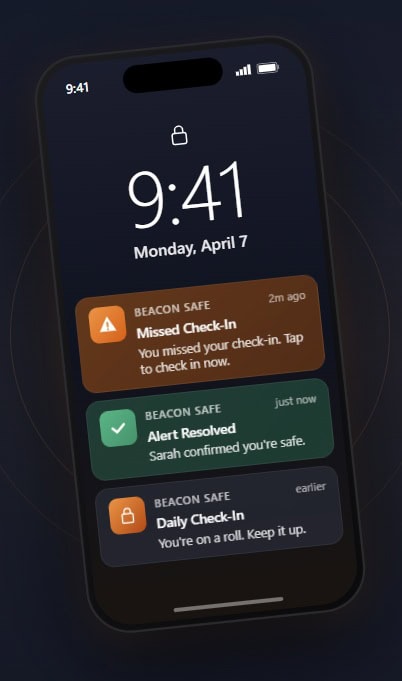
Best for: Missed check-ins with multichannel escalation
Why it stands out: Beacon Safe uses a scheduled check-in rather than continuous tracking. If the deadline is missed, the service can escalate through email, SMS, and automated voice calls. Because the deadline is tracked on Beacon Safe’s servers, the alert process can still begin if the user’s phone is off, lost, or out of battery.
Good to know: The free tier mainly uses email alerts; SMS and automated voice calls are part of the paid tier. Beacon Safe also states that it does not use location tracking.
Evidence : The app was updated on August 5, 2026, and the official site shows current app screens for schedule setup, one-tap check-in, and the emergency-contact alert flow.
Platforms / pricing model: iPhone + Android · No extra hardware · Free tier + paid Plus plan
3. Emergency SOS and rapid help
These tools are for situations where the person knows they need help now, rather than for passive day-to-day reassurance.
My SOS Family
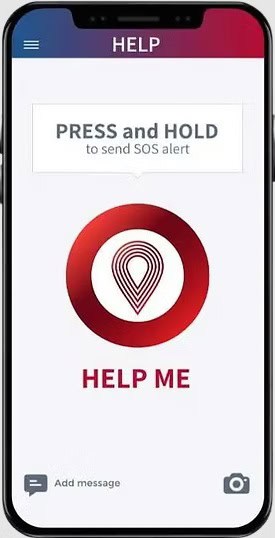
Best for: Reaching several trusted people through multiple channels
Why it stands out: My SOS Family distributes one emergency event across several communication routes instead of relying on a single push notification. Helpers can be reached by voice call, text, email, or the app, and some can receive the alert without installing anything.
Good to know: This is a general personal-safety product rather than a senior-specific app, and the exact offer varies by region.
Evidence: The current U.S. App Store listing shows 292 ratings at 4.4/5; the service also supports landlines and contacts without the app.
Platforms / pricing model: iPhone + Android · No extra hardware · Free trial + paid plan
Noonlight
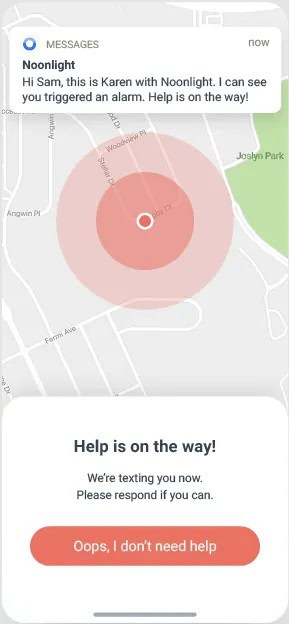
Best for: Professional emergency response in the United States
Why it stands out: Noonlight routes an activated alarm to a staffed monitoring operation that can assess the situation and involve local responders when needed. It also lets selected contacts initiate a safety check through its Safety Network.
Good to know: It is not built specifically around aging parents, and the consumer app is primarily useful where Noonlight’s personal emergency response service is supported.
Evidence: Noonlight says its consumer app has protected more than 3 million people; its help center continued to publish app updates in 2026.
Platforms / pricing model: iPhone + Android · No extra hardware · Free + optional paid features
Google Personal Safety
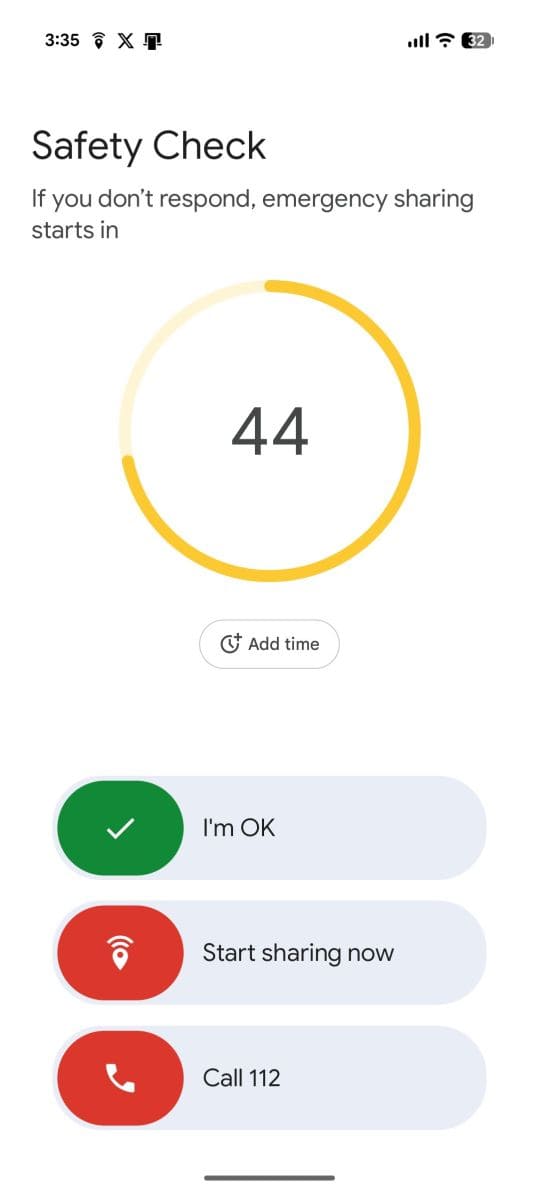
Best for: Pixel users who want strong built-in safety tools
Why it stands out: Personal Safety bundles several Pixel safety tools in one place, including Emergency SOS, Safety Check, emergency sharing, and medical details. A timed Safety Check can move into contact-sharing automatically when the user does not confirm they are safe.
Good to know: Several features depend on compatible Pixel devices, location permissions, network connectivity, and country availability. It is not senior-specific.
Evidence: Google documents that an active Safety Check can use the phone’s most recent location at the deadline if the device powers off or loses service.
Platforms / pricing model: Compatible Pixel / Android devices · Included with compatible device
4. Fall detection and automatic incident alerts
Automatic fall detection can help when someone cannot press an SOS button, but no consumer system detects every fall and false alarms remain possible.
FallCall Detect
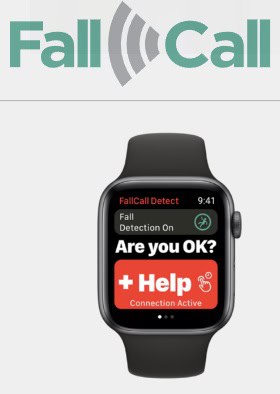
Best for: Apple Watch users who want specialist fall detection
Why it stands out: FallCall Detect uses Apple Watch motion data to classify a suspected fall by impact level and then follows the configured response path, which can involve caregivers or professional monitoring. That makes it more specialized than a general smartwatch emergency button.
Good to know: It requires a compatible Apple Watch, and users need to understand the setup. The developer explicitly warns that the system will not detect every fall.
Evidence: The current App Store listing shows 365 ratings at 4.4/5, and the version history includes updates for iOS 26 and WatchOS 26.
Platforms / pricing model: iPhone + Apple Watch · Apple Watch required · Free app + optional paid monitoring
LifeGuardian – Fall Safety SOS
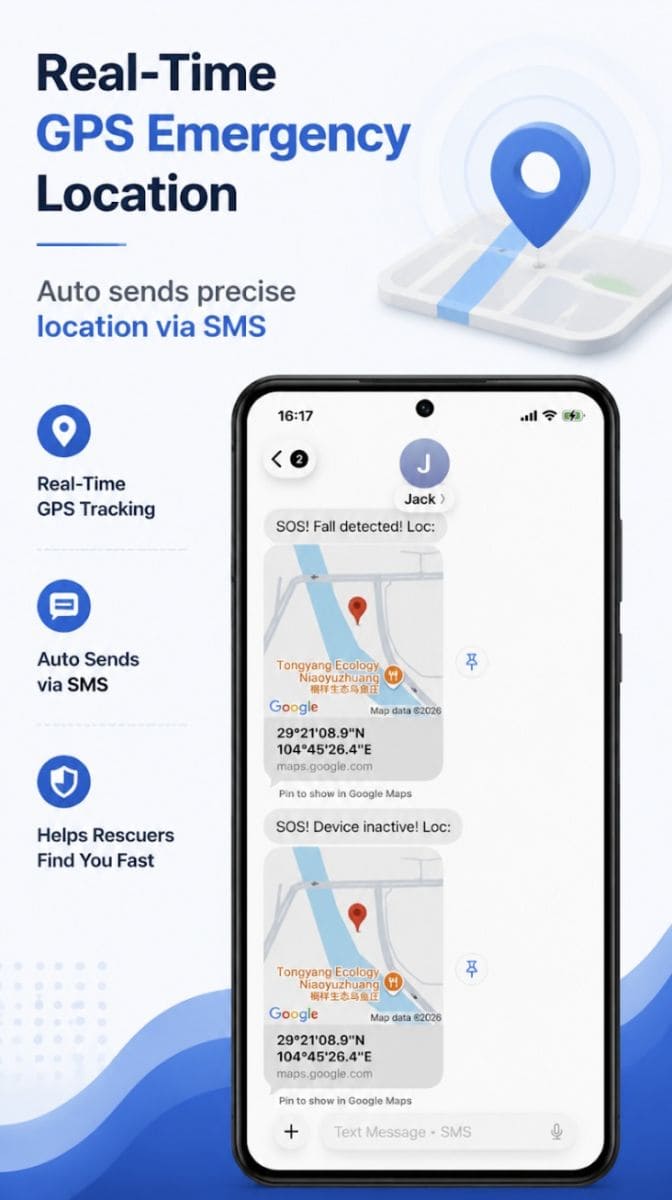
Best for: Combining fall, inactivity, and SOS functions on an Android phone
Why it stands out: LifeGuardian combines three phone-based safety mechanisms: impact sensing, prolonged inactivity or no-response monitoring, and manual SOS by text with location. The app also emphasizes on-device operation and does not require the user to create an account.
Good to know: Phone-based fall detection only helps when the phone is actually being carried in a useful position. The public install base is still very small.
Evidence: The Google Play listing was updated in August 2026 with Android 16 support and stability improvements; it also declares no data collection or third-party sharing.
Platforms / pricing model: Android · No extra hardware · Free + in-app purchases
SOS Elderly
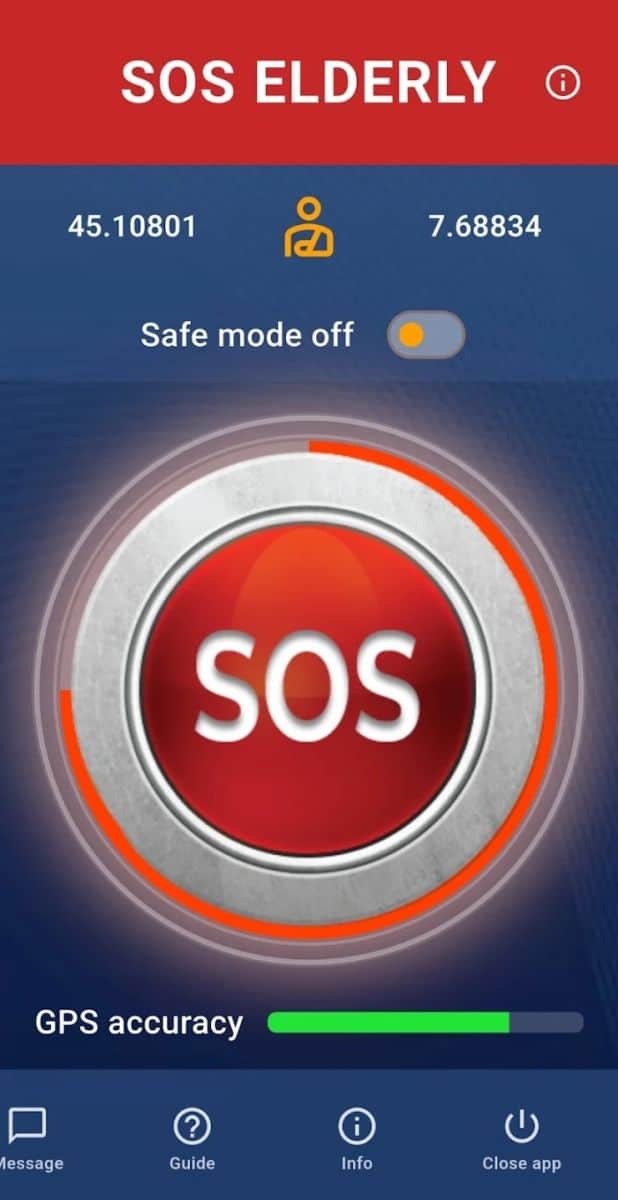
Best for: A free all-in-one safety toolkit
Why it stands out: SOS Elderly packs several safety functions into one Android app: manual emergency texting, a timed outing mode, route and location tools, fall sensing, and family features. It is aimed at users who would rather carry one free toolkit than several single-purpose apps.
Good to know: Its wider feature set may be harder for some users than a single-purpose app, and automatic fall sensing should never be treated as guaranteed.
Evidence: Google Play shows 1K+ downloads and an April 2026 update; the developer currently declares no data collected or shared.
Platforms / pricing model: Android · No extra hardware · Free, no ads
5. Wandering and cognitive-safety support
This is a specialist use case. Continuous location and movement monitoring is more intrusive, but it can be justified when dementia-related wandering is a genuine risk.
Rientro
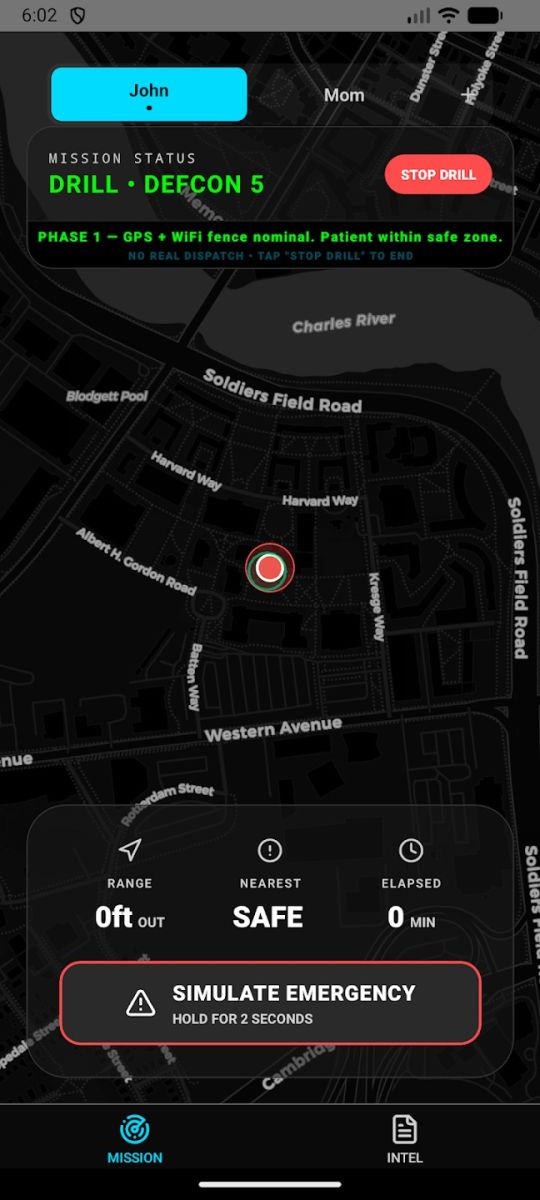
Best for: Dementia-related wandering risk
Why it stands out: Rientro goes beyond showing current location by comparing movement with the person’s established routines. The system is intended to flag departures or activity patterns that differ from what is usual, so caregivers can judge urgency rather than only see coordinates.
Good to know: This is the most privacy-intensive option in the guide and is still a new service with limited public review history. It is appropriate only when wandering risk justifies continuous monitoring.
Evidence: The current Android listing says subscribed users can have unresolved incidents escalated after 15 minutes and that the service supports cellular Apple Watch and Galaxy Watch devices.
Platforms / pricing model: iPhone / Android availability varies · Cellular smartwatch recommended / required for full use · Paid subscription
What we excluded – and why
The wider research pool included many useful products. We excluded them when their main job fell outside standalone senior safety, so the final comparison would stay coherent.
Medical-alert systems tied to proprietary hardware or monitoring services
Medical Guardian, LifeFone, Aloe Care, Lively, CarePredict, Bay Alarm Medical, Umbrella PERS, and AngelSense can all contribute to safety, but their mobile apps are mainly part of a hardware or monitored-service ecosystem. Their cost, setup, and response model are different enough that they deserve a separate comparison.
General family-location apps
Life360, GeoZilla, iSharing, and FamilyWall can be useful for families, but continuous family location is their primary model rather than senior safety itself.
Medication and general health-management apps
Medisafe, MyTherapy, Pillo, MedAdvisor, CareClinic, Guava, MedReminder, and DoseTime can support independent living, but medication adherence and health records are different from personal safety detection and emergency escalation.
Caregiver coordination apps
Caring Village, ianacare, CaringBridge, Lotsa Helping Hands, CircleCare, CompassCare, CareCircle, and similar products help families organize care rather than function primarily as standalone safety apps.
Conclusion: choose the safety job first
There is no single best senior safety app for every older adult living alone. Start with the problem you actually want to solve: passive reassurance, a daily check-in, immediate SOS help, automatic fall detection, or wandering risk.
Then consider the older adult’s routine. Will they remember to press a button? Do they reliably carry their phone? Would continuous location monitoring feel disproportionate? Who will receive an alert, and can that person realistically respond?
The final step is operational, not technological: decide who calls first, who lives nearby, who has a key, and when emergency services should be contacted. A good app can reduce uncertainty, but it works best as one layer in a clear family safety plan.
Features, service regions, platform support, and pricing models change. Check the current provider information before choosing an app, especially when professional monitoring, emergency dispatch, or continuous location is involved.
Related Parents are OK guides and resources
• Caring for elderly parents while living apart
• The daily anxiety of not knowing if elderly parents are OK
• Why non-invasive elderly monitoring matters
• Free printable resources for families supporting older adults
• Why we created Parents are OK

My guiding question every day is: ”How can I make this better?” I have a creative mind, an eye for all things beautiful, and a drive to bring people together. With a background in non-formal education, psychology, entrepreneurship, and interior design, I believe there is always a new opportunity around the corner. Life is interesting. Enjoy and make the most of it!