It’s Tuesday afternoon. You’re between two meetings, and it suddenly hits you: you haven’t heard from your dad since Sunday.
That’s not unusual. He isn’t a big talker on the phone, and he likes his routines: the walk to the bakery, the crossword, the long chat with the neighbor over the fence. He’s probably fine. He’s almost always fine.
But if he weren’t, how would you know? And how long would it take?
That quiet little question is the reason we built the inactivity alert, the heart of Parents are OK. In this article I’ll walk you through how it works, what it notices, how to set it up so it fits your parent’s real life, and, just as honestly, what it can’t do.

The short answer
Parents are OK runs quietly in the background on your parent’s smartphone. It looks for the ordinary signs of a normal day: the screen being unlocked, an app being opened, the phone being picked up. If the phone stays inactive for longer than the limit you set, you get an alert, and so does anyone else in the family you’ve invited.
Your parent doesn’t press anything, wear anything or remember anything. You don’t watch a map or a camera. Most days, you hear nothing at all. And that’s exactly the point.
What is an inactivity alert, really?
An inactivity alert is a message to the family when there’s no sign of everyday activity for longer than expected. The idea behind it is simple: sometimes silence is the signal.
Think about how often you touch your own phone. To check the time, glance at the weather, answer a message, move it from the counter to your pocket. Most of our parents do the same, many times a day. So a phone that stays completely untouched for hours is unusual, and unusual is worth a gentle look.
The idea itself isn’t new. Pendant alarms, motion sensors and smart-home systems have used “no activity” rules for years. What’s different here is that nothing new needs to be bought, installed in the house or worn. The phone your mom or dad already carries does the noticing.
Why the quiet hours matter
Living alone doesn’t mean being frail. Most older adults who live alone are doing just fine, and they want to keep it that way. But it does mean that if something goes wrong, there may be nobody there to notice.
Falls are the example most families think about, and for good reason. In the United States, about 14 million adults aged 65 and over (27.6%) reported a fall in the previous year, according to CDC data published in 2023. And it isn’t only the fall itself. In a Cambridge study of people over 90, 80% of those who fell couldn’t get up without help after at least one fall, and 30% stayed on the floor for an hour or more. Lying on the floor for a long time was linked to serious injury, hospital admission and moving into long-term care.
An inactivity alert can’t prevent a fall, and I won’t pretend it can. What it can do is shorten the time before someone notices that something may be wrong: from “whenever someone next calls” to a limit you choose.
How it works, step by step
Everything rests on one simple rule: every sign of normal phone use resets the clock. Here’s the whole cycle.
- You install the app on two phones. On your phone you choose Guardian, on your parent’s phone you choose Parent, and you connect them with a pairing code. This part is done in person, on your parent’s phone, so plan it for your next visit.
- You choose the settings that fit your family. That means the time limit, and your parent’s sleep hours, so a good night’s rest never counts as “inactive”.
- Your parent carries on as usual. The app runs quietly in the background. On their screen they can see that monitoring is on and who is connected as a guardian. Nothing is hidden from them.
- Every bit of activity resets the clock. An unlock, an app opened, the phone picked up and carried to the kitchen: each one says “life is going on as normal”.
- If the limit passes in silence, the guardians are alerted. You, and any siblings or relatives you’ve invited as co-guardians, get the same alert.
- You decide what happens next. A call, a message, a neighbor knocking on the door. The app tells you something is unusual. You know your parent, and you know what to do.
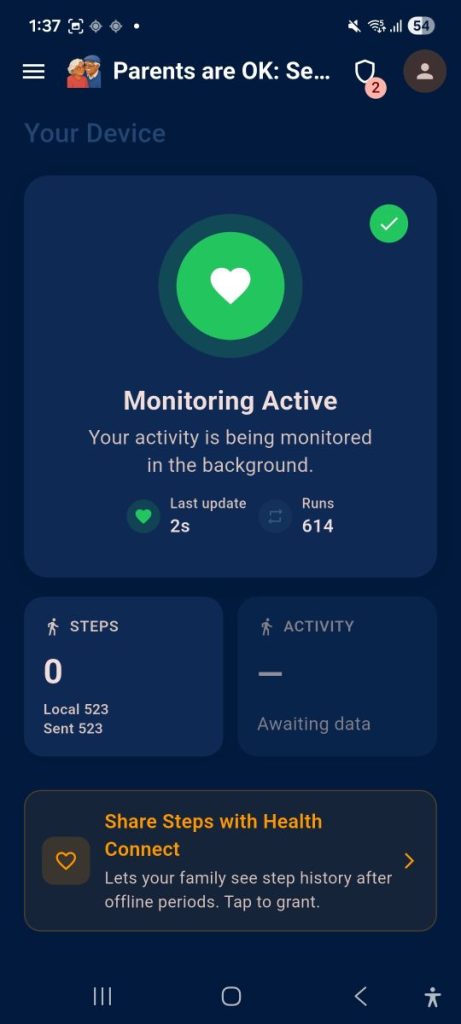
On your side, you get a simple overview: recent activity, battery level, whether the phone is connected, and any alerts. The app also lets you know if the battery is running low or the phone goes offline, so a flat battery doesn’t leave you guessing.
If you want a glance without opening the app, there’s a Home Screen widget too. But on a normal day, you don’t need to look at all.
What counts as “activity”?
The small, ordinary things we all do with our phones without thinking:
- Unlocking the screen, to check the time or read a message
- Using apps: WhatsApp, the news, a game of solitaire, a photo of the grandchildren
- Moving the phone: picking it up, slipping it into a bag, carrying it from room to room
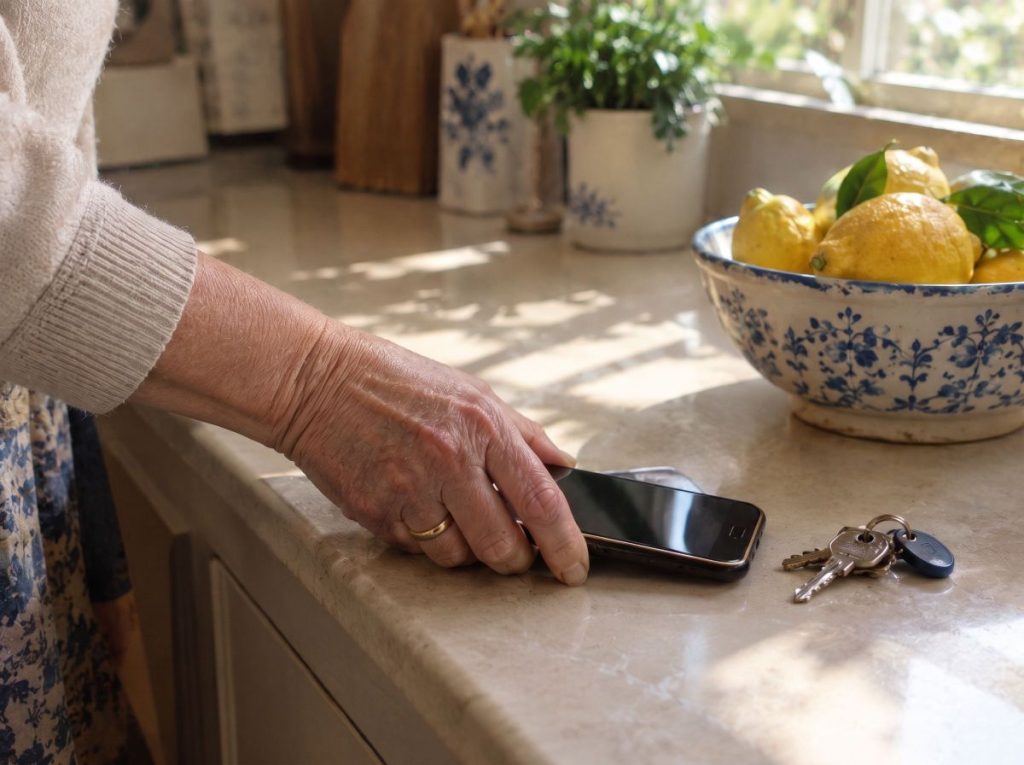
The app notices that the phone is being used, not what your parent is doing with it. There’s no GPS, no location sharing, no camera and no microphone. We believe in safety, not surveillance, and your parent deserves exactly the same privacy you’d want for yourself.
The nice thing about such ordinary signals is that your parent doesn’t have to change a thing. A busy day full of calls and a slow Sunday with one look at the weather app both count as a normal, active day.
Choosing a time limit that fits your parent’s life
Here’s my honest advice: choose the limit for the parent you actually have, not the one in your head.
Every choice is a small trade-off:
| Shorter limit | Longer limit | |
|---|---|---|
| You hear about a problem | Sooner | Later |
| Alerts on perfectly ordinary days | More likely | Less likely |
| Suits a parent who | Uses the phone often, all day long | Uses it rarely, or often leaves it at home |
The best way to choose is to sit down together and walk through a normal week. A few questions help:
- “Where does your phone sleep at night? Next to you, or charging in the kitchen?”
- “Do you take it with you to church, the market or the neighbor’s?”
- “Do you like an afternoon nap?”
- “When the grandchildren visit, does the phone end up in a drawer all day?”
Then set their sleep hours. Parents are OK lets you set a sleep window for each parent, so a long, peaceful night never sets off an alert. It takes a minute and saves a lot of unnecessary worry.
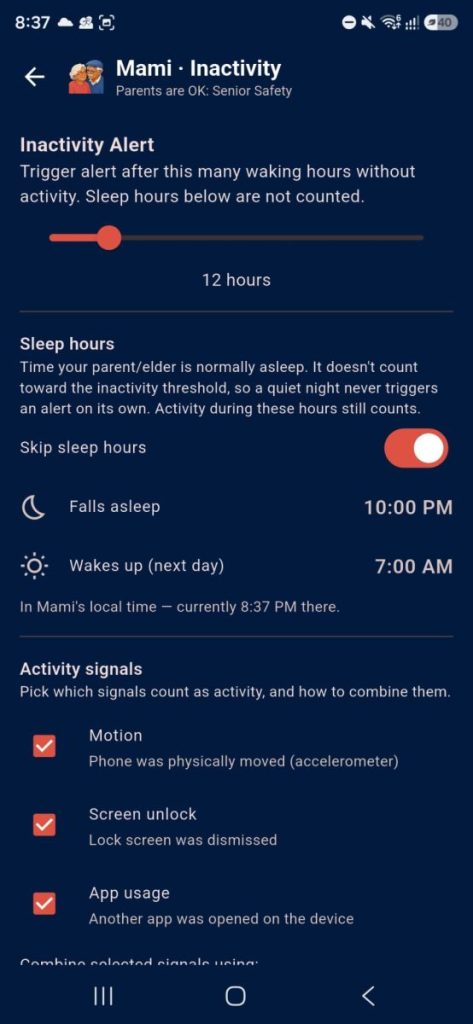
Start with a limit that feels comfortable, see how the first couple of weeks go, and adjust. If alerts arrive on ordinary days, the limit is simply too short for their rhythm. That isn’t a failure. It’s just fine-tuning, and you only have to do it once.
When an alert arrives
First, take a breath. An alert means one thing only: the phone hasn’t been used for longer than expected. It doesn’t mean your parent is hurt. Very often the reason is wonderfully boring: a flat battery, a phone forgotten at a friend’s house, a long day out in the sun.
Still, it deserves a response, and it’s much easier with a plan you made on a calm day:
- Call your parent. Their mobile first, then the landline if they still have one.
- Send a message they’ll see the moment they pick up the phone.
- Ask someone nearby to knock on the door: a neighbor, a friend, a relative with a spare key.
- If you believe your parent is in danger, call the emergency services where they live (911 in the US, 999 in the UK, 112 across the EU).
The best time to agree on this plan is before you ever need it. Decide with your siblings who checks first. Save the neighbor’s number in your phone. Know who has a key. And because every co-guardian gets the same alert, a quick “I’m on it” in the family chat saves five people from calling at once.
Inactivity alert or daily check-in?
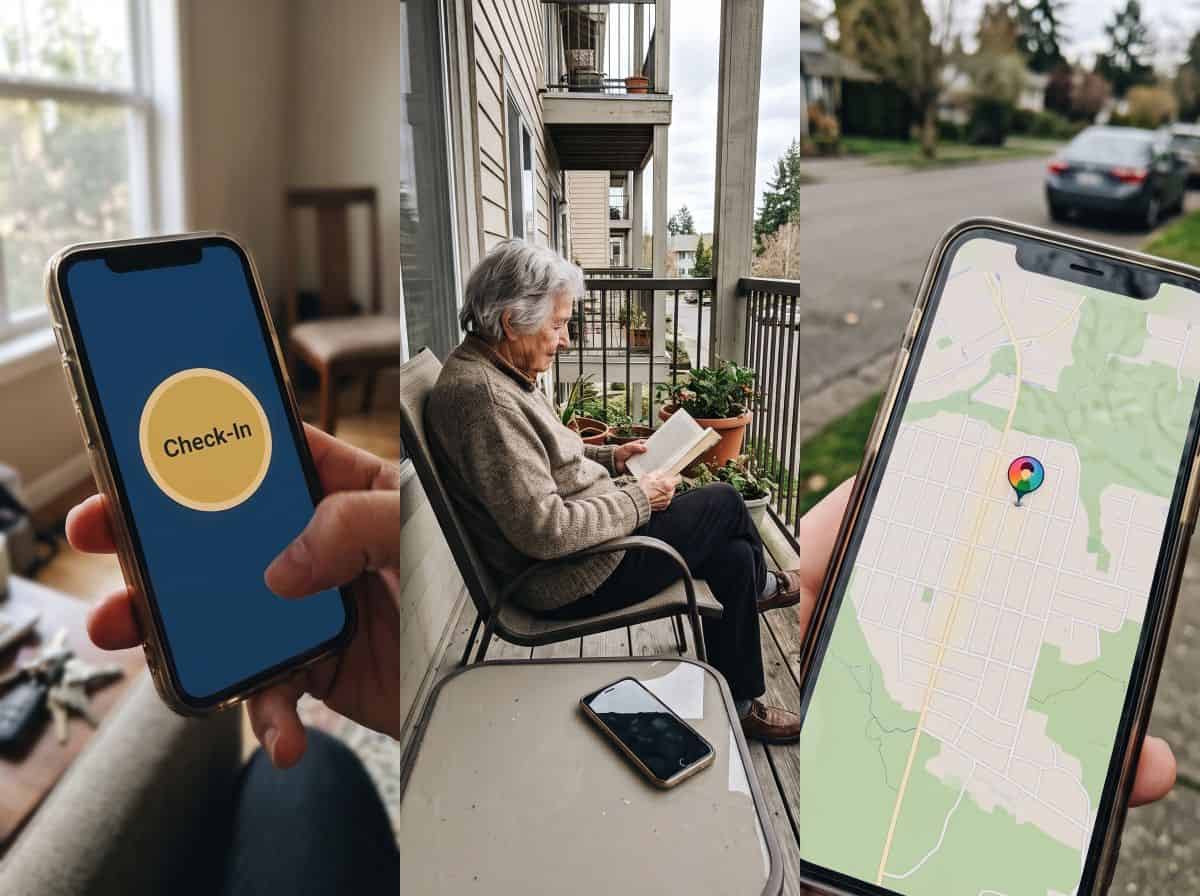
If you’ve been searching for a while, you’ve probably met daily check-in apps like Snug Safety. They work the other way around. With a check-in, your parent taps a button at a set time every day to say “I’m OK”, and the family hears about it if they don’t. With an inactivity alert, your parent doesn’t confirm anything; the alert comes from the absence of normal activity.
Neither is better for everyone. Some parents love the little morning ritual of a tap with their coffee. Others would find it one more chore, or would quietly feel tested every single day. For them, an app that simply stays out of the way can feel like a relief.
If you’d like the full picture, we wrote an honest side-by-side comparison: Snug Safety vs Life360 vs Parents are OK. It also says plainly when another app is the better fit.
What it can’t do (and why I want you to know)
I’d rather you trust this app for the right reasons than expect it to do something it doesn’t. So here are its limits, plainly:
- It isn’t instant. It speaks up after the limit you set, not at the moment something happens. For sudden moments, Parents are OK also has phone drop detection, with a sensitivity you can set for each parent. [LINK: phone drop detection article]
- It depends on the phone. If your parent rarely touches their phone, or often leaves it at home, the signal is weaker. Low-battery and offline alerts help with the most common gaps.
- It isn’t an emergency service. It alerts the family, not an ambulance. Deciding what to do next stays with you.
- It isn’t a medical device. It doesn’t measure health, detect illness or replace a doctor, a caregiver or a personal alarm where one is truly needed.
I think of it as one gentle layer of reassurance. It sits quietly alongside your calls, your visits, the neighbor who waves every morning, and everything else that already keeps your parent connected.
Frequently asked questions
What is an inactivity alert app? An app that tells family members when someone’s phone has shown no normal activity for longer than expected. Parents are OK does this quietly in the background, so your parent never needs to check in.
Does my parent need to do anything each day? No. They use their phone as they always do. No button, no wearable, no routine to remember.
What counts as activity? Unlocking the screen, using apps and moving the phone. Any of these resets the timer.
Will my parent’s sleep set off an alert? Not if you set their sleep hours. Time inside the sleep window doesn’t count as inactivity.
Can my brother or sister get the alerts too? Yes. You can invite other family members as co-guardians, and everyone receives the same alerts.
Does the app track my parent’s location? No. There’s no GPS tracking, no location sharing, no camera and no microphone.
Can I set it up from another country? The first setup happens in person, on your parent’s phone, because the two phones are connected with a pairing code. After that, you can be anywhere in the world.
Does it work on iPhone and Android? Yes. Parents are OK is available on the App Store and Google Play.
What silence means
While writing this, I kept noticing something about silence. The silence itself never changes: a phone that doesn’t ring, a message that stays unread. What changes is the story we tell ourselves about it.

On a good day, silence means “she’s busy in the garden”. On a tired, anxious day, the same silence turns into a dozen worst-case scenarios before we’ve even finished our coffee. And most of the time, nothing at all has happened.
In our family, the people we think about most live a few countries away. What I wanted, more than information, was to give silence back its ordinary meaning. To trust that a quiet day is just a quiet day, because if it ever isn’t, someone will know. There’s no need for multiple phone calls every day, just to get some reassurance.
That, for me, is what an inactivity alert is really for. Not to know everything. Just to know when it matters.
So I’d love to ask you: when your parent doesn’t answer, what’s the first story your mind tells you?
Talk soon,
Ioana
Related Parents are OK guides
- Snug Safety or Life360 Alternative
- Aging Alone in America: What the Data Shows
- Why non-invasive elderly monitoring matters
- Caring for elderly parents while living apart

My guiding question every day is: ”How can I make this better?” I have a creative mind, an eye for all things beautiful, and a drive to bring people together. With a background in non-formal education, psychology, entrepreneurship, and interior design, I believe there is always a new opportunity around the corner. Life is interesting. Enjoy and make the most of it!